The Complete Guide to Creating Product Demo Videos in 2026: From Beginner to Professional
Complete guide to creating product demo videos in 2026. Learn how to plan, record, edit and publish a clear product showcase with online screen recording tools.

Product demo videos help businesses show a real workflow and communicate a product's value. A useful demo makes the task, the result and the next step clear instead of relying on broad performance promises.
Why are product demo videos so effective? The reason is simple: they allow potential customers to "experience" your product before actually purchasing it. 87% of marketers believe video helps them explain complex concepts faster, and customers prefer learning about products through watching videos rather than reading lengthy product manuals.
However, creating a professional, effective product demo video is not an easy task. From choosing the right tool to mastering post-production techniques, every step can impact video quality. This article will provide you with a complete product demo video creation guide to help you rapidly grow from a beginner to a professional.
Types of Product Demo Videos
Before you start creating, you need to understand the different types of product demo videos and which scenarios each type is best suited for.
2D Demo Videos vs. 3D Demo Videos
Traditional 2D demo videos use flat recording methods, suitable for showcasing simple, linear operation workflows. For example, a basic software feature demonstration only needs to show the click path from left to right.
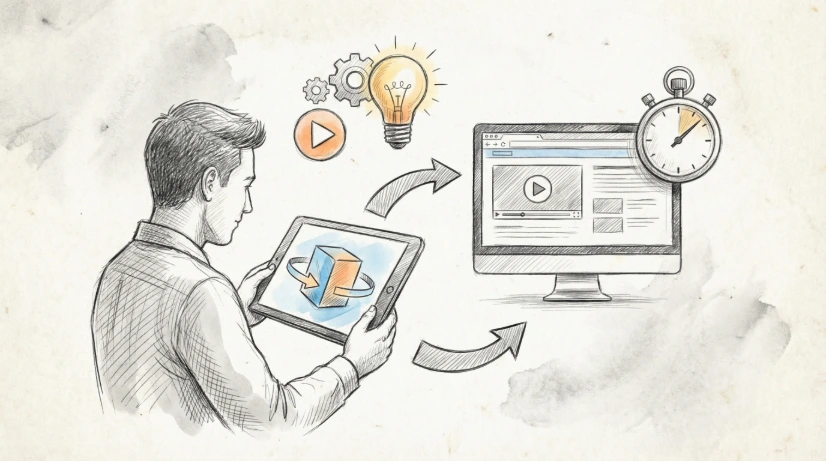
In contrast, 3D demo videos add depth and appeal through three-dimensional visual effects. 3D transform effects can make your videos look more cinematic, naturally guiding viewer attention to focus on key areas. Studies show that videos with high visual appeal can increase viewer retention time by more than 40%.
For product showcase videos, 3D effects are particularly valuable. When showcasing complex multi-layered interfaces, 3D transforms can help viewers better understand product structure while enhancing professionalism. This is why more and more marketing teams are choosing online screen recording tools that support 3D effects. Screentell's 3D Transform features make this process simple and intuitive.
Interactive vs. Passive Demo Videos
Interactive demos allow users to perform operations during viewing, such as clicking buttons, filling forms, or adjusting parameters. This participation method can significantly boost conversion rates—interactive demos achieve conversion rates of up to 67%, which is 20 times higher than passive video.
Passive demos are more suitable for one-time viewing scenarios, such as sales presentations, training tutorials, or product introductions. Your choice depends on goal: if the goal is to educate users on how to use the product, software tutorial recording is typically more appropriate; if the goal is to let users deeply experience product value, interactive demos will be more effective.
Choosing Demo Videos for Different Scenarios
- Feature Introduction Videos: Short and concise (30-90 seconds), highlighting a single core feature, suitable for social media and landing pages
- Software Tutorial Recording: Detailed step-by-step guidance (2-10 minutes), suitable for new user onboarding and in-depth feature learning
- Sales Demo Videos: Showcase core product value (1-5 minutes), highlighting pain point solutions, suitable for early stages of sales processes
- Customer Support Videos: Quickly answer common questions (1-3 minutes), helping users solve problems independently
The Complete Process of Creating Product Demo Videos
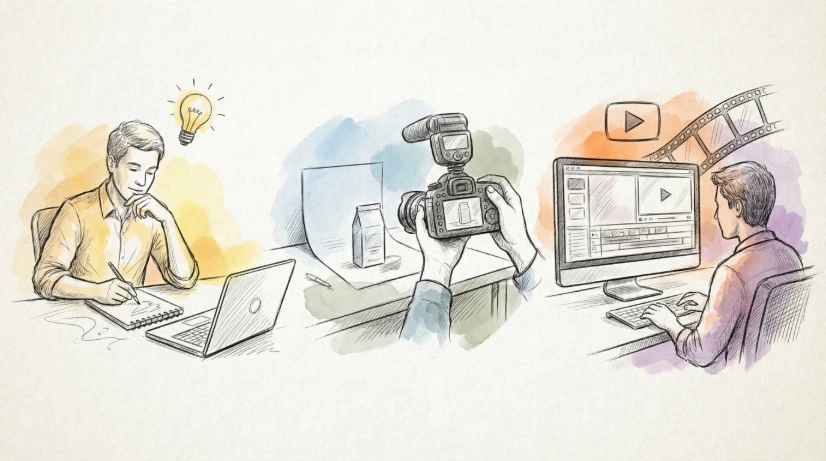
After understanding the video types, let's move into the actual creation process. These five steps will help you systematically create high-quality product demo videos.
Step 1: Preparation
Good preparation is half the battle. Before recording, you need to do the following:
Write a clear script. Don't rely on improvisation—your script should include key steps, expected duration, and feature points to emphasize. Excellent scripts typically include: problem introduction (30 seconds), solution demonstration (60-180 seconds), and summary and CTA (30 seconds).
Prepare a clean demo environment. Close unnecessary applications and notifications, remove sensitive information, and ensure the product interface is clean. Test each function you plan to record to ensure no unexpected errors occur.
Equipment preparation is also important. Using an external microphone rather than built-in microphones can significantly improve audio quality. Test audio input to ensure no background noise or echo. If you need to record explanations, choose a quiet environment or consider using noise reduction software.
Step 2: Choose the Right Screen Recording Tool
The choice of tool directly impacts production efficiency and quality. Traditional desktop software requires downloading, installation, and regular updates, while online screen recording tools offer a more flexible solution. For product demo video creation, choosing the right tool is crucial.
The advantages of online screen recording tools are evident:
- No Installation: Use directly in your browser, saving time and not occupying hard drive space
- Cross-Platform Compatibility: Whether Windows, Mac, or Linux, use as long as you have a modern browser
- Privacy Security: Data is processed locally, not uploaded to servers. Screentell promises 100% local processing; see privacy policy for details
- Automatic Updates: Always using the latest version without manual maintenance
- Cost-Effectiveness: Typically cheaper than professional desktop software. Check Screentell's pricing page—Pro version is only $6.99/month
For most product demo scenarios, online screen recording tools are already fully sufficient. Especially tools like Screentell that support 3D effects and advanced editing features can meet professional needs while avoiding the complexity of desktop software.
Step 3: Recording Tips
Recording quality determines the final effect of your video. Follow these best practices:
Set resolution to at least 1080p. Modern viewers have high expectations for picture quality, and videos below 1080p will be considered "unprofessional." If product details are important, consider 4K recording (if the tool supports it).
Audio quality cannot be ignored. Use a professional microphone, speak 20-30cm from the microphone, and ensure consistent volume. Background noise can severely affect viewer experience—even if video content is excellent, poor audio can cause viewers to close the video within seconds.
Maintain visual stability. Avoid unnecessary rapid mouse movements and abrupt switches. Use smooth, deliberate mouse actions so viewers' eyes can easily follow. If you need to emphasize a specific area, you can zoom in or mark it directly during recording.
Duration control is crucial. The optimal length for product demo videos is 2-5 minutes. Wistia's research shows that 30-second to 2-minute videos are most effective, but complex product demos may need longer time to fully explain. The key is: each video should solve only one specific problem, don't try to cover all features in a single video.
Step 4: Post-Production Editing
Raw recordings often need post-production editing to achieve professional standards. This is particularly important for software tutorial recording, as it requires highlighting key steps.
Add 3D effects and dynamic zoom. Use Focus Zoom to smoothly magnify key areas, or use 3D Transform to create cinematic transition effects. These techniques can guide viewer attention and make videos more engaging.
Use hand-drawn style stickers to mark key points. Arrows, text boxes, and hand-drawn graphics are friendlier than traditional line annotations and can reduce viewer technical pressure. Screentell's Rich Annotation Stickers feature provides a rich library of hand-drawn elements—you can customize colors, sizes, and styles.
Add captions when your audience may watch without sound. Soft background music can add professionalism, but volume should be low and not interfere with explanations.
Trim and adjust speed. Remove unnecessary pauses, verbal slips, and repetitive content. Adjust playback speed for certain sections—fast-forward through unnecessary steps, slow down important operations so viewers can see clearly.
Step 5: Export and Sharing
The final step is to export and distribute your product demo videos.
Choose the appropriate format. MP4 is the most universal format, compatible with almost all devices and platforms. WebM files are smaller but have slightly worse compatibility. GIFs are suitable for social media sharing but are typically limited to within 15 seconds.
Balance quality and file size. High-quality videos look more professional, but oversized files affect loading speed. For most platforms, 1080p, 30fps, and bitrate 5-10Mbps is the optimal balance point.
Choose the right sharing channels. Website landing pages, social media, email, and customer support portals are all effective distribution channels for product demo videos. Choose platforms based on content: short feature introductions are suitable for social media, while detailed software tutorial recording is more suitable for websites and knowledge bases.
Professional Tips: How to Make Demo Videos More Engaging
After mastering the basic steps, these advanced tips will make your videos stand out.
Tip 1: Use 3D Transforms to Guide Viewer Attention
The core advantage of 3D transforms lies in creating visual hierarchy. When you rotate interface elements or change perspective in your video, viewers' brains automatically focus on these changing areas.
How to apply? When introducing core features, use slight 3D rotation to highlight interface elements. When switching between different functional areas, use 3D effects to create smooth transitions. This technique makes your videos look more dynamic while helping viewers understand the product's spatial structure.
Screentell's Cinematic 3D Transforms make this simple. You can choose preset transform effects or customize rotation angles, scaling ratios, and motion paths. The real-time preview feature lets you see the final effect before exporting.
Tip 2: Application of Hand-Drawn Style Stickers
Hand-drawn style stickers have two key advantages: strong approachability and visual focus. Hand-drawn arrows, text, and shapes are friendlier than precise line annotations and can reduce the "coldness" of technical products.
Choose the right sticker types:
- Arrows: Guide viewer attention to buttons or key areas
- Text Boxes: Provide additional explanations or emphasize important information
- Shapes: Use circles or rectangles to highlight specific areas
- Hand-Drawn Text: Add humor or personalized elements
Screentell provides a rich library of hand-drawn style stickers, and you can also upload custom images as stickers. This flexibility allows you to create unique visual styles for each video while maintaining consistency.
Tip 3: Dynamic Zoom and Focus Techniques
The average viewer attention span is only 8 seconds. This means you need to continuously re-engage their attention. Dynamic zoom and focus are effective techniques.
Use Focus Zoom to smoothly magnify key operation areas. For example, when demonstrating a specific setting option, zoom in on that area so viewers can see clearly, then zoom out to full screen to continue. This "zoom in-zoom out" rhythm keeps viewers focused.
Auto-focus is a more advanced technique. Screentell's Focus Transforms can automatically adjust zoom levels based on mouse position or preset areas. This lets you focus on explanations during recording without needing to manually adjust perspectives.
Tip 4: Background Aesthetics and Branding
Professional product demo videos need not only good content but also attractive visual packaging. This is particularly important for branding of product showcase videos.
Custom backgrounds can significantly enhance video professionalism. Screentell offers multiple background options, from minimalist solid colors to gradients and textured backgrounds. Choosing backgrounds that match your brand color scheme strengthens brand consistency.
Video layout and rounded corners make the picture look more refined. Use the Inset feature to add inner margins, making the video look like a card suspended on the background. Rounded corners and shadows can add depth, so the video no longer looks like a simple screen recording.
Tool Recommendation: Why Choose Online Screen Recording Tools
Among numerous screen recording tools, online screen recording tools are becoming increasingly popular due to their convenience and flexibility.
Advantages of Online Screen Recording Tools
No Installation: Use directly in your browser, saving download, installation, and learning initial time. For temporary recording or team collaboration, this means anyone can start working immediately without needing IT support.
Cross-Platform Compatibility: Whether team members use Windows, Mac, or Linux, use as long as you have a modern browser. This is particularly important for enterprises with mixed operating system environments.
Privacy Security: Data is processed locally, not uploaded to servers. Screentell promises that all video processing is 100% completed locally in the browser, providing extra assurance for privacy-sensitive customers.
Automatic Updates: Always using the latest version without manual maintenance. Desktop software requires regular updates, while online tools update automatically in the background, ensuring you always have access to the latest features.
Cost-Effectiveness: Typically cheaper than professional desktop software. Camtasia costs $249.99 as a one-time payment, while Screentell Pro is only $6.99/month. For startups and small teams, this significantly reduces product demo video creation costs.
Screentell's Core Advantages
Among numerous online screen recording tools, Screentell stands out for its unique features:
- 3D Cinematic Effects: Manually controlled 3D transforms in a browser-based recorder
- Hand-Drawn Style Sticker Library: Rich hand-drawn graphics, text annotations, and arrow annotations
- Privacy First: 100% local processing, data not uploaded to servers
- Highly Competitive Pricing: Pro version at $6.99/month, 68% lower than Loom's $12.50/month
Brief Comparison with Competitors
| Tool | Core Advantages | Price | 3D Effects | Hand-Drawn Style |
|---|---|---|---|---|
| Screentell | 3D Effects + Hand-Drawn Style + Privacy Security | $6.99/month | ✓ | ✓ |
| Loom | Fast Sharing + Team Collaboration | $12.50/month | ✗ | ✗ |
| Camtasia | Powerful Editing Features | $249.99 one-time | ✓ | Limited |
| VEED.IO | Comprehensive Video Editing | $12/month | Limited | Limited |
If your goal is to create professional, engaging product demo videos, Screentell provides the best balance of features and pricing.
Summary
Product demo videos have become essential marketing tools in 2026. Through this article, we've learned:
- Product demo videos can make a software workflow easier to understand when the recording clearly connects an action to its result.
- Complete production process: 5 key steps from preparation, recording, editing to exporting
- Application of professional tips: 3D transforms guide attention, hand-drawn annotations reduce technical feel, dynamic zoom maintains attention
- Advantages of online tools: no installation, cross-platform, privacy security, significant cost-effectiveness
Now it's your turn. No need for professional video production teams or expensive equipment. Using online screen recording tools like Screentell, you can create professional, engaging product demo videos in minutes.
Start recording for free now and experience the visual revolution brought by 3D effects and hand-drawn style. Your first product demo video is just one "Start Recording" click away.