10 Best Screen Studio Alternatives for Windows & Mac (2026)
Looking for a Screen Studio alternative? Compare 10 top options for Windows, Mac, browser, teams, and free recording. See pricing, trade-offs, and the best fit for your workflow.

10 Best Screen Studio Alternatives in 2026
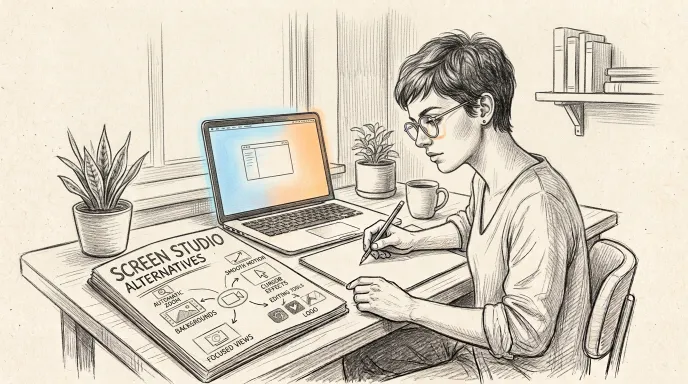
Screen Studio is one of the most polished screen recorders available for Mac. Its automatic zooms, smooth cursor movements, customizable backgrounds, and simple editing workflow make it especially good for product demos and tutorials.
But it is not the right fit for everyone.
Screen Studio is built for macOS, while many creators work on Windows or across multiple operating systems. Others need stronger collaboration tools, more advanced editing, browser-based recording, or simply a less expensive option. Screen Studio currently costs $29 per month or $9 per month when billed annually.
The good news is that there are now plenty of strong Screen Studio alternatives—although they solve slightly different problems.
Here are the options worth considering in 2026.
Best Screen Studio Alternatives at a Glance
| Tool | Best for | Platforms | Starting price |
|---|---|---|---|
| Screentell | Browser-based product demos | Browser / cross-platform | Free |
| FocuSee | Screen Studio-style auto zoom on Windows | Windows, macOS | $49.99/year* |
| Tella | Polished videos + hosting and sharing | Windows, macOS, Chrome | $13/month |
| Cap | Open-source recording | Windows, macOS | Free for personal use |
| Loom | Async team communication | Windows, macOS, mobile, Chrome | Free |
| Descript | AI and text-based editing | Windows, macOS, web | Free |
| Camtasia | Advanced tutorials and training | Windows, macOS | $179.88/year for Essentials |
| OBS Studio | Free recording and streaming | Windows, macOS, Linux | Free |
| ScreenPal | Budget-friendly recording and editing | Desktop and mobile | Free |
| CleanShot X | Mac screenshots + lightweight recording | macOS | $29 one-time |
*FocuSee's $49.99 offer is currently listed as a first-year promotional price. Pricing checked August 2026.
Why Look for a Screen Studio Alternative?
Screen Studio does several things exceptionally well. It automatically detects clicks and creates zooms around them, lets you adjust those zooms afterward, smooths cursor movement, and applies polished visual treatments with little manual work.
The main reasons to look elsewhere usually come down to four things.
You use Windows or Linux
Screen Studio is a macOS application and recommends macOS Ventura 13.1 or later. If you work on Windows or Linux, it is immediately off the table. If you're specifically looking for a Windows replacement, see our guide to Screen Studio for Windows.
You want a free or cheaper option
At $29 month-to-month, Screen Studio can be difficult to justify if you only create occasional recordings. Its annual subscription is considerably cheaper, but free and lower-cost alternatives exist.
You need collaboration and video hosting
Screen Studio focuses primarily on creating polished recordings. Products such as Loom and Tella put much more emphasis on hosting, comments, analytics, shared workspaces, and async communication.
You need more advanced editing
For long tutorials, courses, training content, podcasts, and narrated videos, tools such as Camtasia and Descript provide editing capabilities that extend well beyond Screen Studio's streamlined workflow.
Screentell — Best Browser-Based Screen Studio Alternative
Best for: Product demos and tutorials without installing software
Screentell takes a different approach from Screen Studio.
Instead of requiring a native desktop application, Screentell runs in the browser. You can record your screen and camera, edit the result, and export the finished video without installing desktop software.
Its editor includes focus zooms, cinematic 3D transforms, customizable annotations and stickers, backgrounds, cropping, clip splitting, playback-speed controls, and a movable face-camera layer. It can export MP4, WebM, and GIF files.
A particularly important difference is privacy: Screentell says video processing happens locally in the browser rather than uploading your recordings to its servers for processing.
Where Screentell is better than Screen Studio
- No desktop installation
- Cross-platform browser-based workflow
- Free plan
- Cinematic 3D transforms
- Flexible annotations and stickers
- Local browser processing
- $49.99/year Pro option
- $99.99 lifetime option
Screentell's current Free plan includes unlimited recordings, HD exports, basic editing, watermarked videos, and exports up to three minutes. Pro removes the watermark and export-length limit.
Where Screen Studio is better
Screen Studio remains stronger if automatic click-based zooming and cursor automation are your priorities.
Screen Studio automatically detects clicks and creates zoom sections around them. Screentell currently gives creators more manual control over focus effects rather than trying to automate every zoom.
Choose Screentell if: you want polished product demos in your browser, work across different computers, value local processing, or want more creative control over effects.
Choose Screen Studio if: you use a Mac and want the software to automatically generate much of the visual polish for you.
FocuSee — Best Screen Studio Alternative for Windows With Auto Zoom
Best for: Windows users who specifically want Screen Studio-style automatic zooming
If the feature you like most about Screen Studio is automatic zoom, FocuSee is one of the closest alternatives.
FocuSee supports both Windows and macOS. It detects mouse clicks during recording and automatically creates smooth zoom animations afterward. You can then modify zoom timing and position manually. It also offers cursor effects, subtitles, annotations, camera layouts, and other automated editing features.
That makes it particularly interesting for Windows users searching for something that behaves more like Screen Studio rather than simply another traditional screen recorder.
FocuSee currently lists its Standard annual plan at $49.99 for the first year, with unlimited videos, unlimited recording duration, and up to 4K/60fps export.
If FocuSee is on your shortlist, see our guide to the best FocuSee alternatives.
Choose FocuSee if: automatic zoom is a must-have and you use Windows.
Stick with Screen Studio if: you're already on Mac and prefer Screen Studio's particular visual style and native workflow.
Tella — Best for Polished Videos With Sharing and Analytics
Best for: Sales videos, demos, creator content, and videos that need to be shared online
Tella sits somewhere between Screen Studio and Loom.
Like Screen Studio, it provides tools designed to make recordings more visually polished. Its current feature set includes timeline editing, transcript editing, auto layouts, zoom effects, Auto Zoom, backgrounds, subtitles, cropping, camera reframing, and AI audio enhancement.
Where it moves beyond Screen Studio is distribution.
Tella also includes video hosting, embedded players, password protection, custom domains, calls to action, comments, analytics, and team organization features. Native macOS and Windows recorders and a Chrome extension are available.
Pro currently starts at $13 per month, while Premium is $19 per month.
Choose Tella if: creating the video is only half the job and hosting, sharing, analytics, or collaboration matters too.
Cap — Best Open-Source Screen Studio Alternative
Best for: Developers, privacy-conscious users, and people who prefer open-source software
Cap is one of the most interesting options in this category because it combines polished screen recording with an open-source approach.
Its Studio Mode includes local recording and editing, layouts, zoom effects, and high-quality exports. Cap also offers cloud sharing, AI-generated titles and summaries, team spaces, viewer analytics, and the ability to connect your own Google Drive or S3 storage on supported plans.
The desktop application supports macOS and Windows, and Cap also makes its code available as an open-source project.
Personal use can start free. A commercial Desktop License is currently $29 per year, while Cap Pro is $8.16 per user/month on annual billing or $12 monthly.
Choose Cap if: open source, data ownership, local recording, or self-hosting matters more to you than Screen Studio's highly opinionated Mac-native polish.
Loom — Best for Async Team Communication
Best for: Team updates, bug reports, feedback, sales messages, and internal communication
Loom and Screen Studio may both record your screen, but they are optimized for different jobs.
Screen Studio focuses on making the finished recording look polished.
Loom focuses on getting a recording in front of another person as quickly as possible.
The free Starter plan currently allows up to 25 videos per person with five-minute screen recordings. Loom provides comments, transcriptions, viewer insights, shared libraries, integrations, and instant link-based sharing.
Business costs $18 per user/month and removes recording and video-count limits while adding 4K recording, more editing tools, branding controls, analytics, and password protection.
Choose Loom if: the goal is communication and collaboration.
Choose Screen Studio or Screentell if: the finished video itself needs to look like a polished product demo or tutorial.
Descript — Best for AI and Text-Based Video Editing
Best for: Narrated tutorials, podcasts, courses, and content-heavy videos
Descript is less of a direct Screen Studio replacement and more of an alternative for users who find Screen Studio's editor too limited.
Its defining workflow is text-based editing: you can edit recorded video by editing its transcript.
Descript also includes screen recording, transcription, dynamic captions, Studio Sound, filler-word removal, silence reduction, AI-assisted editing, and a growing collection of generative video tools.
There is a free plan. Paid plans currently begin at $16 per person/month with annual billing, while the Creator tier starts at $24.
The tradeoff is complexity. If all you want is a beautiful 90-second SaaS demo, Screen Studio is faster. If you are editing a 20-minute tutorial with narration, captions, retakes, and audio cleanup, Descript becomes much more compelling.
Camtasia — Best for Advanced Tutorials and Training Videos
Best for: Courses, software training, educational content, and detailed tutorials
Camtasia is the heavyweight option on this list.
Its Essentials package includes multitrack recording, cursor effects and path editing, animations, transitions, text-based editing, filler-word removal, transcription, caption generation, and a traditional non-linear video editor.
It supports Windows 10/11 and macOS 14+.
The downside is price and complexity. Camtasia Essentials currently costs $179.88 per year, and its deeper editing system takes longer to learn than Screen Studio.
Choose Camtasia if: you regularly produce detailed educational or training videos and need a true editing environment.
Choose Screen Studio if: speed and automatic polish matter more than editing depth.
OBS Studio — Best Free Screen Studio Alternative
Best for: Free recording, streaming, technical users, and complex capture setups
OBS Studio is completely free and open source.
It runs on Windows, macOS, and Linux and can capture screens, windows, webcams, browser sources, capture cards, audio sources, and much more. It also supports scenes, transitions, audio filters, plugins, scripts, and live streaming.
What OBS does not give you is the Screen Studio experience.
There is no equivalent built-in workflow that automatically turns a basic screen capture into a polished product demo with animated zooms and smooth cursor movement.
That means OBS is an excellent recorder but not necessarily a direct substitute for Screen Studio's editing philosophy.
Choose OBS if: you want maximum recording flexibility for free.
Don't choose OBS solely because it is free if automatic post-recording polish is the feature you actually want.
ScreenPal — Best Budget All-Rounder
Best for: Teachers, tutorials, beginners, and budget-conscious creators
ScreenPal offers a surprisingly broad set of tools at a relatively low price.
Its free version includes screen and webcam recording, basic editing, screenshots, and up to 15 minutes per recording. The $4/month Deluxe tier—billed annually—adds unlimited recording, unlimited video hosting, a full video editor, captions, and more.
Higher tiers add AI features such as text-to-speech narration, AI video generation, automatic titles, summaries, transcriptions, and text-based editing.
It lacks Screen Studio's signature automated visual polish, but it offers much more functionality per dollar for users who simply need a flexible recording and editing suite.
CleanShot X — Best for Mac Users Who Also Take Lots of Screenshots
Best for: Designers, developers, support teams, and screenshot-heavy Mac workflows
CleanShot X is not trying to be a cinematic video editor.
Instead, it is an excellent general-purpose Mac capture utility that combines screenshots, annotations, scrolling capture, screen recording, GIF recording, microphone and computer audio capture, and sharing.
The basic app currently costs $29 as a one-time purchase and includes one year of updates. You can continue using the purchased version without renewing.
There is no Windows version.
Choose CleanShot X if: screen recording is only one part of your capture workflow and you also create screenshots and annotations constantly.
Choose Screen Studio if: polished video creation is the primary goal.
What's the Best Screen Studio Alternative for Windows?
If you're specifically looking for a Screen Studio alternative for Windows, start with these three:
FocuSee
Choose FocuSee if automatic zoom is the feature you are trying to replace. Its click-triggered zoom system makes it one of the closest conceptual alternatives to Screen Studio on Windows.
Screentell
Choose Screentell if you want to avoid desktop installation and create polished demos directly in your browser. Its emphasis is on flexible zooms, 3D effects, annotations, and local processing rather than automatic editing.
Cap
Choose Cap if you prefer open-source software, local recording, and greater control over where your videos are stored.
What's the Best Free Screen Studio Alternative?
There is no single free tool that reproduces every part of Screen Studio.
The best option depends on what you actually need:
- Screentell: best if you want an easy browser-based workflow and polished demo editing.
- OBS Studio: best if you need powerful recording and don't mind editing elsewhere.
- Cap: best if you value open source and local recording.
- ScreenPal: best if you want recording and basic editing in one beginner-friendly package.
What's the Closest Alternative to Screen Studio?
If by "closest" you mean automatic zooming around clicks, FocuSee is one of the strongest options, particularly for Windows users.
If by "closest" you mean creating attractive product demos quickly, Screentell, Tella, and Cap are all worth considering, but each approaches the workflow differently.
That distinction matters.
A good Screen Studio alternative does not necessarily need to copy every Screen Studio feature. It needs to solve the reason you are looking for an alternative in the first place.
Which Screen Studio Alternative Should You Choose?
Here is the simplest way to decide:
Choose Screentell if you want browser-based recording, local processing, flexible effects, and no software installation.
Choose FocuSee if you need automatic click-based zooms on Windows.
Choose Tella if polished recording plus hosting and analytics matter.
Choose Cap if open source and data ownership are priorities.
Choose Loom if your main goal is async communication.
Choose Descript if you edit around narration and transcripts.
Choose Camtasia if you create detailed training videos.
Choose OBS Studio if you want maximum recording power for free.
Choose ScreenPal if price and broad functionality matter most.
Choose CleanShot X if you're a Mac user who needs screenshots as much as video.
Screen Studio itself is still an excellent choice for Mac users who want automatic zooms, polished cursor movement, and attractive product demos with minimal editing.
But if its Mac-only workflow, pricing, or editing model doesn't fit the way you work, there are now plenty of credible alternatives.
And if your priority is creating polished product demos or tutorials directly in your browser, you can start with Screentell for free.
Frequently Asked Questions
Is there a Screen Studio alternative for Windows?
Yes. FocuSee, Screentell, Cap, Loom, Camtasia, OBS Studio, Descript, and ScreenPal all provide options for Windows users. FocuSee is particularly relevant if you want automatic zoom effects similar to Screen Studio, while Screentell is useful if you prefer a browser-based workflow.
Is there a free alternative to Screen Studio?
Yes. Screentell, Cap, Loom, Descript, ScreenPal, and OBS Studio all offer free ways to get started. OBS Studio is completely free and open source, while the others use free tiers with different limitations.
Does Screen Studio work on Windows?
No. Screen Studio is currently designed for macOS and recommends macOS Ventura 13.1 or newer.
Which Screen Studio alternative has automatic zoom?
FocuSee supports automatic zoom based on mouse clicks on both Windows and macOS. Tella also lists Auto Zoom among its current editing features.
Is Screen Studio better than Loom?
They are designed for different jobs. Screen Studio is better suited to polished product demos and tutorials, while Loom is stronger for fast video messaging, sharing, comments, analytics, and team collaboration.
What is the best Screen Studio alternative for product demos?
Screentell, FocuSee, and Tella are all strong choices. Screentell is suited to browser-based demos with manual creative control, FocuSee emphasizes automatic visual effects, and Tella combines polished editing with hosting and sharing.