Screentell vs Loom: Creating a Video vs Communicating With a Video
Compare Screentell vs Loom for product demos, async video, editing, privacy, sharing, AI, platforms, and pricing to choose the right screen recorder.

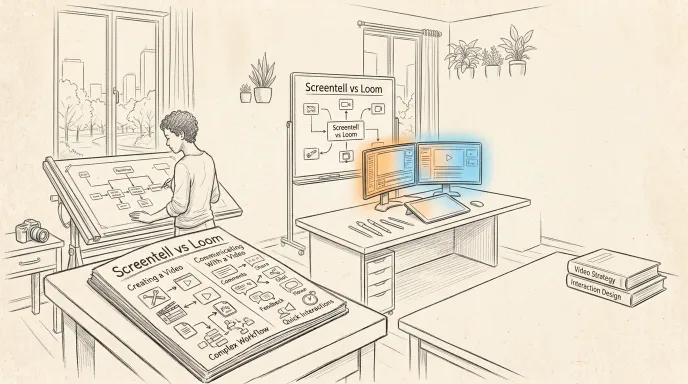
If you're comparing Screentell vs Loom, the most important difference isn't simply which one can record your screen.
Both can.
The real difference is what you want to happen after you press Stop.
Loom is built around getting a recording in front of other people quickly. It automatically puts recordings into a cloud-based video library and adds instant sharing, comments, reactions, viewer insights, team workspaces, transcripts, and increasingly powerful AI features.
Screentell puts more emphasis on shaping the recording itself. Its browser-based editor includes Focus Zoom, cinematic 3D transforms, annotations, backgrounds, cropping, clip editing, speed controls, and a flexible face-camera layer, while processing recordings locally on your computer.
So the short answer is:
Choose Loom if your priority is recording → sharing → collaboration.
Choose Screentell if your priority is recording → visual editing → exporting a polished product demo or tutorial.
Neither approach is universally better.
They're optimized for different jobs.
Screentell vs Loom at a Glance
| Feature | Screentell | Loom |
|---|---|---|
| Best for | Polished product demos & tutorials | Async video communication |
| Windows | Yes | Yes |
| macOS | Yes | Yes |
| Linux | Yes, via supported browser | No native Linux app |
| Mobile apps | No | iOS & Android |
| Desktop installation required | No | Optional desktop app |
| Browser workflow | Direct web app | Chrome extension |
| Screen + webcam | Yes | Yes |
| System + mic audio | Yes | Yes |
| Focus zoom | Yes | Visual emphasis tools, but not its core workflow |
| Cinematic 3D transforms | Yes | Not a core editing feature |
| Rich annotations | Yes | Drawing / emphasis tools |
| Clip editing | Yes | Yes |
| AI editing | Limited / not core | Strong on Business + AI |
| Instant hosted share link | No | Yes |
| Comments & reactions | No | Yes |
| Viewer analytics | No | Yes |
| Team video library | No | Yes |
| Core recording processed locally | Yes | Videos saved to Loom cloud library |
| Free plan | Yes | Yes |
| Monthly paid entry | $6.99 | $18/user |
| Annual paid option | $49.99/year | Seat-based annual billing available |
| Lifetime option | $99.99 | No |
Pricing checked August 2026. Loom's exact annual billing depends on billing route and user count, while Screentell currently highlights $49.99/year on its pricing page.
The Biggest Difference: Creating a Video vs Communicating With a Video
The easiest way to understand Screentell and Loom is to look at what happens after recording.
Loom treats the recording as a conversation
When you stop a Loom recording, the video is automatically available through Loom's cloud-based library and sharing workflow. Loom can generate a link immediately, and viewers can comment, react, read transcripts, and interact with the recording. Paid plans add team libraries, branding, analytics, password protection, and other collaboration features.
The workflow is roughly:
Record → get a link → send it → discuss it
That's exceptionally useful for:
- design feedback
- bug reports
- internal updates
- sales outreach
- customer support
- async meetings
- explaining something to a coworker
Screentell treats the recording as something you're producing
Screentell's workflow puts more emphasis on what the finished video looks like.
After recording, you can shape attention with Focus Zoom, move the screen through 3D space, add annotations, change backgrounds and layouts, crop distracting UI, edit clips, change playback speed, and reposition the face-camera layer.
The workflow is closer to:
Record → visually shape the story → export → publish wherever you want
That fits:
- homepage demos
- product launches
- feature announcements
- SaaS tutorials
- Product Hunt videos
- social media demos
- customer-facing walkthroughs
This is the most important distinction in the entire comparison.
Browser Recording: Both Support It, but Not in the Same Way
It's tempting to describe this as:
Screentell = browser Loom = desktop
That would be inaccurate.
Loom has a Chrome extension that can record your screen and webcam directly from Chrome. The extension currently supports recording up to 1080p, while Loom recommends its desktop app for features such as 4K recording and additional tools.
But Loom's browser workflow still requires installing the Chrome extension.
Screentell doesn't require an extension or native recorder. Its recording and editing tools run directly through supported Chromium-based desktop browsers including Chrome, Edge, Brave, and Arc.
That gives you three models:
Loom Chrome extension: lightweight browser capture + cloud workflow.
Loom desktop app: deeper Loom recording capabilities and up to 4K.
Screentell: browser-native recording + browser-native visual editing + local export workflow.
Which is better?
Choose Loom if installation isn't a concern and the cloud workflow is valuable.
Choose Screentell if you specifically want to open a website and work without installing either a desktop application or browser extension.
Product Demos: Screentell Has the More Focused Visual Toolset
Loom can absolutely create product demos.
Its current product pages explicitly position Loom for tutorials, demos, sales, marketing, support, and other screen-recording use cases. Paid Loom plans support up to 4K recording, editing, custom branding, transcripts, and sharing.
But Loom's broader product is optimized around communication.
Screentell is more specifically designed around making screen recordings visually presentable as standalone demos.
Its editing toolkit includes:
- Focus Zoom
- 3D rotation, scaling, skewing and perspective
- customizable annotations
- image overlays
- backgrounds
- inset and padding controls
- shadows
- screen cropping
- clip cutting
- playback-speed adjustment
- flexible face-camera placement
When does that difference matter?
Imagine you're showing a small settings panel inside a complicated SaaS dashboard.
For an internal Loom, you might simply move your cursor to the setting and explain it.
For a landing-page demo, you might instead want to:
- crop unnecessary browser chrome,
- zoom smoothly into the setting,
- add an arrow,
- change perspective for a transition,
- move your webcam out of the way,
- speed up an unimportant section,
- export a clean MP4.
That's closer to Screentell's core use case.
For more tools optimized around this kind of output, see our best Loom alternatives for product demos.
Sharing and Collaboration: Loom Wins Easily
If you finish a recording and immediately need someone else to watch and respond to it, Loom has a major advantage.
Even Loom Starter currently includes a personal/shared/team library, viewer insights, comments, emoji reactions, transcriptions, captions, privacy controls, and a broad set of integrations.
Business expands that with unlimited videos, unlimited recording length, higher recording quality, branding controls, uploads/downloads, and more editing capabilities.
This is one of the biggest areas where Screentell should not pretend to be a direct replacement.
Screentell currently focuses on creating and exporting the video rather than providing a Loom-style hosted communication layer.
So if your team depends on:
- timestamped comments
- reactions
- viewer analytics
- instant links
- shared libraries
- centralized video management
- collaboration around recordings
Loom is the stronger product.
Privacy and Storage: Very Different Architectures
This is one of the clearest structural differences.
Screentell
Screentell states that recording, encoding, and editing happen on the user's device.
Its privacy policy says recordings are never uploaded to Screentell's servers and that Screentell cannot view or store the videos you create.
Projects are therefore built around a local-first model.
That can be attractive when you're recording:
- an unreleased application
- internal admin panels
- development environments
- customer information
- private dashboards
- sensitive business workflows
Loom
Loom is designed around cloud-based video.
Its official documentation says recordings are automatically saved to the Loom cloud library so that they can immediately be accessed and shared.
That cloud architecture is what makes many of Loom's strengths possible:
- instant sharing
- comments
- analytics
- team libraries
- hosted playback
- transcripts
- AI workflows
So neither architecture is inherently better.
Screentell: local-first production.
Loom: cloud-first communication.
Your workflow determines which is more useful.
AI Features: Loom Is Far Ahead
Another outdated comparison would be:
Loom is just a basic recorder.
That hasn't been true for some time.
Loom's current Business + AI plan costs $24/user/month and includes features such as:
- auto-video enhancement
- filler-word removal
- silence removal
- auto titles
- auto summaries
- auto chapters
- auto CTAs
- auto tasks
- video-to-text workflows
Loom's AI philosophy also reflects its core product positioning.
Many of these features help transform a recording into something easier for another person to consume or act on.
Screentell currently focuses much more heavily on visual presentation and manual editing tools rather than providing an equivalent AI communication suite.
Verdict
If AI-assisted communication and post-recording automation are important:
Loom wins.
If you don't need summaries, tasks, AI cleanup, and team-oriented automation, those features may simply be unnecessary overhead.
Zoom, 3D Motion, and Visual Focus: Screentell Is More Specialized
Screentell's Focus Zoom lets you guide the viewer toward specific parts of the interface with smooth zoom and pan movement.
Its 3D Transform system goes further by allowing perspective, rotation, position, and scale changes that can be animated over time.
This isn't just decorative.
For product demos, camera movement effectively decides:
What should the viewer look at right now?
Loom provides drawing and mouse-emphasis capabilities depending on the plan, along with canvas and recording presentation tools. Its current official product/pricing pages, however, emphasize communication, editing, AI, and sharing rather than Screentell-style cinematic 3D transforms.
So:
For visual storytelling around a UI: Screentell.
For fast explanation and communication: Loom.
Annotations: Similar Goal, Different Emphasis
Loom includes drawing and mouse-emphasis functionality for highlighting something during a recording, depending on the recorder and plan.
Screentell emphasizes post-recording visual annotations more heavily.
You can add customizable:
- arrows
- lines
- shapes
- speech bubbles
- text
- hand-drawn-style elements
- your own image overlays
with control over colors, borders, roundness, and appearance.
This again reflects the larger product difference.
Loom's emphasis tools support the explanation.
Screentell's annotations can become part of the visual design of the finished demo.
Webcam: Loom Is Better for Communication, Screentell Offers Post-Recording Layout Control
Both tools support simultaneous screen and webcam recording.
Loom's camera bubble is a recognizable part of its async-video workflow and supports frames, virtual backgrounds, canvas options, and different recording configurations.
Screentell treats the camera as a flexible editing layer.
After recording, you can move, resize, reshape, hide, and animate the face camera at different moments.
So:
Fast talking-head communication: Loom.
Post-recording composition of the webcam inside a demo: Screentell.
Recording Quality and Export
Loom Starter currently records up to 720p, while Business and higher plans support up to 4K through supported workflows. The Chrome extension itself is positioned for recording up to 1080p, with the desktop app recommended for 4K.
Screentell's Free plan currently provides HD export and supports MP4, WebM, and GIF output, with controls for resolution, quality, video codec, and audio codec.
The product goals are different again.
Loom optimizes around:
record → hosted playback.
Screentell optimizes around:
edit → export a file.
If your publishing destination is YouTube, your website, X, Product Hunt, or another video host, Screentell's export-oriented workflow may fit naturally.
If Loom itself is where you want the video to live, Loom is much more convenient.
Screentell vs Loom Pricing
The pricing structures reflect how differently these tools are designed.
Screentell
Current Screentell options include:
| Plan | Price |
|---|---|
| Free | $0 |
| Pro Monthly | $6.99/month |
| Pro Yearly | $49.99/year |
| Lifetime | $99.99 |
The current homepage highlights the $49.99/year plan and $99.99 lifetime option. Screentell's existing official product content also documents the $6.99 monthly option.
Free currently includes unlimited recordings and HD export, with a watermark and exports limited to three minutes per video.
Loom
Current Loom pricing includes:
| Plan | Price |
|---|---|
| Starter | $0 |
| Business | $18/user/month |
| Business + AI | $24/user/month |
| Enterprise | Custom |
Loom also offers annual billing with savings, although billing details can vary between Loom.com and Atlassian's billing system.
Starter currently limits each person to 25 videos, with screen recordings up to five minutes and video quality up to 720p.
The important difference isn't just price
Loom charges per paid user because you're buying a broader communication platform that includes hosting, collaboration, analytics, libraries, and potentially AI.
Screentell is priced more like a creator tool for producing the video itself.
For one person creating marketing demos, that distinction can make Screentell substantially less expensive.
For a team that would otherwise pay separately for hosting, comments, analytics, transcripts, and video collaboration, comparing the subscription prices alone doesn't tell the whole story.
Free Plans: They Have Different Limits
Both products can be used without paying.
But their free plans restrict different things.
Screentell Free
Current limits include:
- unlimited recordings
- HD exports
- basic editing
- watermark
- maximum three minutes per exported video
Loom Starter
Current limits include:
- up to 25 videos per person
- five minutes per screen recording
- up to 720p
- transcripts
- comments and reactions
- hosted libraries
That creates an interesting decision:
Make many short edited demos: Screentell's free model may fit better.
Make a smaller number of shareable team messages: Loom's free model may fit better.
Platform Support
Screentell works through supported desktop Chromium browsers on Windows, macOS, and Linux.
Loom offers:
- Windows
- macOS
- Chrome
- iOS
- Android
This means each has an unusual platform advantage:
Linux desktop: Screentell.
Mobile recording: Loom.
For a traditional Windows/Mac office team, both are viable.
Screentell vs Loom for Product Demos
For customer-facing product demos, Screentell generally makes more sense when visual presentation is the priority.
Choose Screentell when you want to:
- guide attention using zoom
- add cinematic movement
- crop distracting UI
- build custom layouts
- use visual annotations
- adjust the webcam afterward
- export a finished marketing asset
Loom makes more sense when the product demo itself is part of a conversation.
Examples:
- send a personalized demo to one prospect
- let the prospect comment on the video
- track engagement
- keep demos inside a sales library
- quickly send a walkthrough after a support request
Those use cases map directly to Loom's hosting, analytics, interaction, and workspace capabilities.
Screentell vs Loom for Teams
For most teams using video primarily as an alternative to meetings and long messages, Loom is stronger.
Its shared libraries, comments, reactions, integrations, video analytics, transcripts, permissions, and enterprise administration are built specifically for this environment.
Screentell is more compelling when the team is creating content, rather than communicating primarily through content.
For example:
Marketing team making a homepage demo → Screentell
Product manager explaining a feature to engineering → Loom
Founder recording a polished launch clip → Screentell
Engineer sending a bug reproduction → Loom
Support team building permanent tutorials → potentially Screentell
Support agent sending quick personalized explanations → Loom
That distinction is more useful than trying to declare one tool the winner for every team.
Where Loom Is Better
Loom is the stronger choice if you need:
- instant hosted video links
- comments and emoji reactions
- team video libraries
- viewer analytics
- transcripts and captions
- mobile recording
- AI summaries and chapters
- filler-word and silence removal
- AI-generated tasks and CTAs
- enterprise administration
- an established async-video communication platform
These are substantial advantages, not minor extras.
If these features describe your workflow, switching to Screentell simply because it's cheaper wouldn't necessarily make sense.
Where Screentell Is Better
Screentell is the stronger fit if you care most about:
- no desktop software
- no browser extension
- Windows/macOS/Linux browser access
- local recording and editing
- keeping recordings off Screentell's servers
- Focus Zoom
- cinematic 3D transforms
- post-recording camera positioning
- visual annotations
- cropping and visual composition
- MP4/WebM/GIF export
- lower individual pricing
- a one-time lifetime option
Those advantages align particularly well with people creating reusable customer-facing videos rather than disposable async messages.
Should You Switch From Loom to Screentell?
Not necessarily.
Keep using Loom if its core workflow already solves your problem:
record → share → receive feedback.
Loom is very good at that.
Switch—or use Screentell alongside Loom—when the problem changes to:
this recording needs to look like a finished piece of content.
In fact, the two products don't have to be mutually exclusive.
A team could reasonably use Loom for internal async communication and Screentell for external product demos.
That may make more sense than forcing one tool to cover both workflows.
Final Verdict: Screentell or Loom?
Ask yourself one question:
Is the value of the recording mostly in the video itself, or in the conversation around the video?
If the answer is the conversation, choose Loom.
Its cloud hosting, instant links, comments, analytics, libraries, transcripts, integrations, and AI workflows make it much more complete as a video-communication platform.
If the answer is the finished video, Screentell becomes more compelling.
Its browser-native editor, Focus Zoom, 3D transforms, annotations, layouts, cropping, camera-layer controls, local processing, and flexible export workflow are much more closely aligned with creating polished demos and tutorials.
So the simplest conclusion is:
Loom is better for communicating with screen recordings.
Screentell is better suited to producing visually polished screen recordings.
If the second workflow matches what you're trying to create, you can try Screentell for free directly in your browser.
Frequently Asked Questions
Is Screentell better than Loom?
Screentell is a better fit for browser-native product-demo creation, local processing, visual effects, 3D transforms, annotations, and exporting finished videos. Loom is stronger for cloud hosting, instant sharing, comments, team libraries, analytics, AI, and async communication.
Is Screentell a Loom alternative?
Yes, but it isn't a one-to-one Loom replacement. Both record screens and webcams, but Screentell focuses more heavily on visual editing and product demos, while Loom focuses more heavily on hosted video communication and collaboration.
Does Loom work in the browser?
Yes. Loom provides a Chrome extension for browser recording. The extension supports screen and camera recording and currently records up to 1080p; Loom recommends its desktop app for capabilities including 4K recording.
Does Screentell require an extension?
No. Screentell runs directly in supported Chromium-based desktop browsers without requiring a native application or browser extension.
Does Screentell upload recordings to the cloud?
Screentell states that recordings are generated, encoded, and edited locally and never uploaded to its servers.
Does Loom save recordings to the cloud?
Yes. Loom's official product documentation states that recordings are saved to its cloud-based Loom library, which enables immediate access and sharing.
Which is cheaper, Screentell or Loom?
For an individual paid plan, Screentell currently starts at $6.99/month or $49.99/year, while Loom Business is $18/user/month. Loom includes substantially more cloud collaboration and hosting functionality, so the plans aren't feature-equivalent.
Which is better for product demos?
Screentell is better aligned with polished, reusable product-demo videos because of its Focus Zoom, 3D transforms, annotations, layouts, cropping, and export-oriented workflow. Loom can still create product demos and may be preferable when the demo needs instant hosting, engagement analytics, comments, or personalized sharing.
Which is better for remote teams?
Loom is generally better suited to async team communication because it provides shared libraries, comments, reactions, transcripts, analytics, integrations, and administrative functionality around the recording.