新年大促

终身 25% 折扣优惠码:LIFETIME25OFF

立即获取优惠

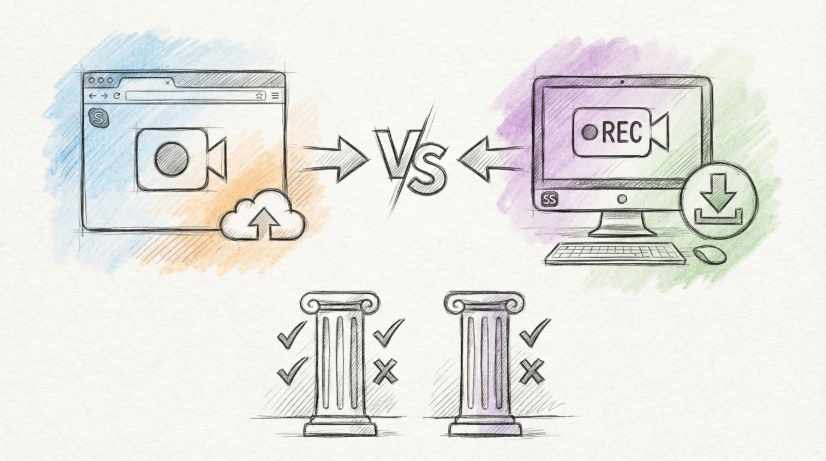
Screentell vs Screen Studio: Which Screen Recorder Should You Choose in 2026?

Screentell vs Screen Studio: Which screen recorder wins in 2026? Compare platform, features, pricing, and use cases. Discover the best tool for your product demos and tutorials.

Shawn
Shawn
2026年1月6日
Screen recorderScreen RecordingVideo EditingScreen Editor
Screentell vs Screen Studio: Which Screen Recorder Should You Choose in 2026?

Looking for the best screen recording tool for your product demos and tutorials? You're not alone. According to recent studies, product teams spend an average of 2-3 hours creating professional demo videos—and choosing the right tool can cut that time in half.

In this comparison, we'll break down Screentell vs Screen Studio across seven critical dimensions: platform compatibility, ease of use, core features, output quality, pricing, use cases, and privacy. By the end, you'll know exactly which tool fits your needs.


Quick Comparison: Screentell vs Screen Studio at a Glance

FeatureScreentellScreen Studio
PlatformCross-platform (browser-based)macOS only
InstallationNo installation requiredDownload and install
PricingFree plan available; Pro at $6.99/monthSubscription-based
3D Effects✅ Cinematic 3D transforms❌ No 3D effects
Auto-zoomManual focus zoom and transforms✅ Automatic cursor tracking
iPhone Recording❌ Not supported✅ iPhone mirroring
Privacy100% local processing[Needs verification]
Learning CurveLow - start recording immediatelyLow - intuitive interface

Platform Compatibility: Where Can You Use It?

Screentell: Cross-Platform Freedom

Screentell runs entirely in your browser—Chrome, Edge, Brave, and Arc all work seamlessly. This means:

  • Windows users can access full features
  • Linux users aren't left behind
  • No downloads or installations—just open screentell.com and start
  • Consistent experience across all desktop browsers

The browser-based approach also means you can switch devices and access your recordings from anywhere (when cloud features are enabled).

Screen Studio: macOS Exclusive

Screen Studio is a native macOS application optimized for Apple's ecosystem. This has advantages:

  • Deep integration with macOS features
  • Superior performance on Apple hardware
  • Seamless iPhone/iPad mirroring—a standout feature
  • Optimized for macOS Ventura 13.1+

However, it's limited to Mac users. If you're on Windows or Linux, Screen Studio isn't an option.

Verdict: Screentell wins for cross-platform teams. Screen Studio wins for Mac-only environments that need deep integration.


Ease of Use: How Fast Can You Start?

Screentell: Zero-Barrier Entry

Screentell's browser-based design means you can start recording in under 30 seconds:

  1. Visit screentell.com
  2. Click "Start Recording"
  3. Select window or screen
  4. Hit record

No permissions, no downloads, no setup. Perfect for quick one-off recordings or users who don't want to install software.

Screen Studio: Streamlined Native Experience

Screen Studio requires installation but offers a polished, intuitive interface:

  1. Download and install from screen.studio
  2. Grant permissions on first launch
  3. Select recording mode (window, screen, iPhone)
  4. Start recording

The native app feels more responsive and integrated with macOS workflows, but there's a small setup overhead.

Verdict: Screentell wins for immediate access. Screen Studio wins for long-term, daily Mac users.


Core Features: What Can Each Tool Do?

Recording Capabilities

FeatureScreentellScreen Studio
Screen recording
Window recording
Area recording
Webcam
System audio
Microphone
iPhone/iPad mirroring
External video import

Key differentiator: Screen Studio's iPhone mirroring is a killer feature for iOS developers and product teams testing mobile apps. Screentell lacks this capability—but offers powerful 3D effects and annotation tools instead.

Editing Features

Screentell: Creative Flexibility

Screentell shines with its cinematic 3D transforms and rich annotation tools:

  • Focus Zoom (2D): Guide viewer attention manually
  • 3D Transforms: Rotate, scale, and skew recordings for dramatic effect
  • Rich Stickers: Arrows, bubbles, shapes in hand-drawn style
  • Custom Uploads: Add your own images as overlays
  • Clip Editing: Cut, split, and adjust playback speed
  • Screen Cropping: Hide UI elements, tabs, or system bars
  • Face Camera Layer: Move, resize, or hide your camera bubble post-recording

Screen Studio: Automation First

Screen Studio focuses on automating the editing process:

  • Automatic zoom: Follows cursor and zooms in on actions
  • Smooth cursor movement: Makes jerky movements fluid
  • Vertical export mode: Automatically optimizes for TikTok, Instagram, Shorts
  • Manual zoom selection: Pick areas to zoom; Studio animates them
  • Cut & Speed Control: Trim and speed up sections easily
  • Style customization: Change backgrounds, spacing, cursor size

Verdict: Screentell wins for creative, manual control. Screen Studio wins for hands-off automation.


Output Quality and Export Options

Screentell

  • Formats: MP4, WebM, GIF
  • Resolution: Full control over resolution, quality, codecs
  • Export: Each video up to 3 minutes on Free plan; unlimited on Pro
  • Watermark: Present on Free plan, removed on Pro

Screen Studio

  • Formats: MP4 (primary)
  • Resolution: Up to 4K
  • Export: Optimized for various platforms (vertical video for social media)
  • Watermark: No watermarks (paid plans only)

Verdict: Both offer professional-quality exports. Screen Studio's vertical video optimization gives it an edge for social media content.


Pricing Comparison

Screentell: Transparent and Affordable

PlanPriceFeatures
Free$0Unlimited recordings, HD export, basic editing, watermark, 3-minute limit
Pro$6.99/monthEverything in Free, no watermark, unlimited export length

Annual discount: Save ~37% with yearly billing.

Cancellation: Cancel anytime, no questions asked.

Screen Studio: Flexible Pricing

Screen Studio offers both subscription and one-time payment options:

  • Monthly subscription: Competitive with Screentell
  • Lifetime deal: Available periodically (check their site for current offers)
  • Trial: Free trial available

Exact pricing: Visit screen.studio for current rates, as they update plans frequently.

Verdict: Screentell's Free plan makes it accessible to everyone. Screen Studio's lifetime offers appeal to long-term users.


Privacy and Security

Screentell: Privacy-First Design

All processing happens locally in your browser. Your recordings never leave your device until you choose to export or share. This is a significant advantage for:

  • Companies handling sensitive data
  • Developers documenting proprietary software
  • Privacy-conscious users

Learn more about Screentell's privacy approach.

Screen Studio: Native Processing

Screen Studio processes recordings locally on your Mac. While secure, it's a desktop app—always ensure you're downloading from official site.

Verdict: Screentell wins with explicit privacy-first messaging and local-only processing.


Use Cases: Which Tool Fits Your Workflow?

Screentell Is Best For:

  1. Windows Users: If you're not on a Mac, Screentell is your choice
  2. Quick, One-Off Recordings: No installation means fast access
  3. Creative Demo Videos: 3D transforms and rich stickers stand out
  4. Cross-Platform Teams: Everyone can use it regardless of OS
  5. Budget-Conscious Creators: Free plan covers basic needs
  6. Privacy-Focused Work: Local processing, no cloud uploads

Real-world example: A SaaS startup team with mixed Mac/Windows laptops can all use Screentell without worrying about compatibility.

Screen Studio Is Best For:

  1. Mac-Only Teams: Deep macOS integration and performance
  2. iOS Developers: iPhone mirroring for mobile app demos
  3. Social Media Creators: Vertical video optimization for TikTok, IG, Shorts
  4. Automation-First Workflows: Auto-zoom reduces editing time
  5. Long-Term Investment: Lifetime deals offer great value

Real-world example: An iOS app development team uses Screen Studio to record iPhone demos alongside screen recordings, all polished with auto-zoom.


Decision Tree: How to Choose

Are you using macOS?
├─ No → Screentell (only option for Windows/Linux)

└─ Yes → Continue

Do you need to record iPhone/iPad?
├─ Yes → Screen Studio (iPhone mirroring)

└─ No → Continue

Do you want creative 3D effects?
├─ Yes → Screentell (3D transforms)

└─ No → Continue

Do you prefer zero installation?
├─ Yes → Screentell (browser-based)

└─ No → Both work, try both free trials

Frequently Asked Questions

Which tool produces higher-quality videos?

Both tools export professional-quality HD videos (up to 4K). The difference is in style, not quality:

  • Screentell: 3D effects, manual control, creative freedom
  • Screen Studio: Smooth automation, polished, consistent

Choose based on your aesthetic preference, not quality concerns.

Can I edit videos I recorded elsewhere?

Yes, both tools support importing external videos. You can use their full editing suites even if you recorded with another tool.

Which tool is better for beginners?

Screentell is slightly more beginner-friendly because:

  • No installation required
  • Start recording in seconds
  • Intuitive browser interface

However, Screen Studio is also user-friendly, especially for Mac users familiar with native apps.

Do I need technical skills to use these tools?

No, both are designed for non-experts. Basic recording and editing require no prior experience. Advanced features (3D transforms, manual zoom) have learning curves but are optional.

Can I use these tools for commercial purposes?

Yes, both support commercial use. Check each tool's terms of service for any restrictions on redistribution or bulk licensing.


Final Verdict: Which Should You Pick?

Choose Screentell If You Want:

  • ✅ Cross-platform compatibility (Windows, Linux, Mac)
  • ✅ No installation—start recording immediately
  • ✅ Creative 3D effects and rich annotations
  • ✅ Budget-friendly with a generous Free plan
  • ✅ Privacy-first local processing
  • ✅ Mixed-OS teams

Try Screentell for free—the versatile, accessible choice for most users, especially those on Windows or who value creative control.

Choose Screen Studio If You Want:

  • ✅ Deep macOS integration and performance
  • ✅ iPhone/iPad mirroring for mobile demos
  • ✅ Automatic zoom and cursor smoothing
  • ✅ Vertical video optimization for social media
  • ✅ Hands-off automation that saves editing time

Screen Studio is the Mac-exclusive, automation-first choice for iOS developers, content creators, and teams willing to invest in a premium experience.


Ready to Try?

Both tools offer free optionsstart with Screentell or download Screen Studio's trial. Experiment with both for a day to see which workflow matches your style.

Your perfect screen recording tool is just a click away.


Next: Introduction to Screentell

最后更新:2026年1月6日
Screentell vs Screen Studio: Which Screen Recorder Should You Choose in 2026? | Screentell